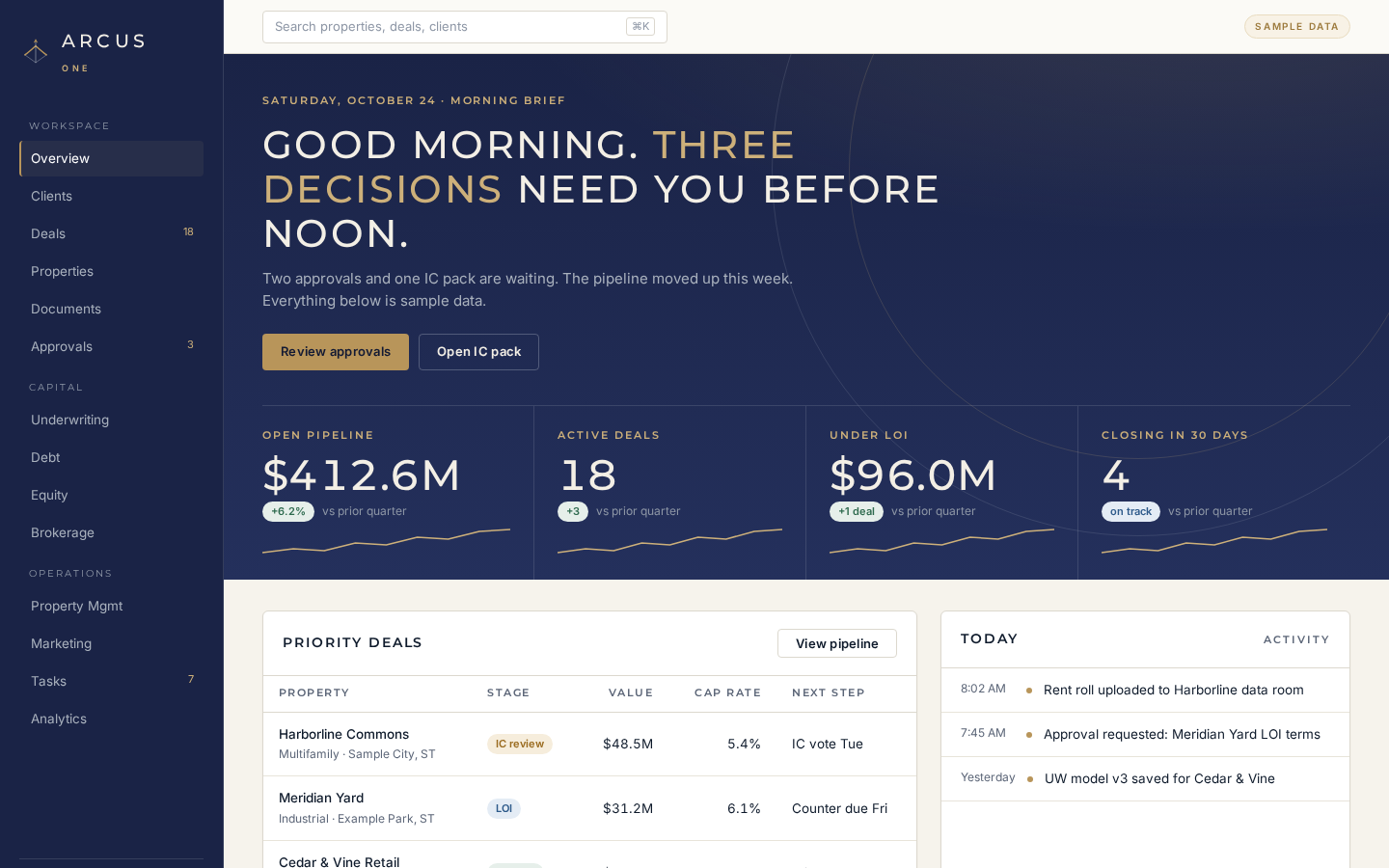
Overview dashboard
Pipeline value, tasks due, approvals waiting and recent activity on one screen the moment you sign in.
Arcus One
Arcus One · CRE operating platform
Pipeline, property, underwriting, capital, documents, operations and a team of AI agents, on one record. Built for brokers, owners and capital teams.
Platform
Every module writes to the same property record, so context carries from first call to closed capital to day-to-day operations.
Overview, morning brief, tasks, activity and analytics across the whole book.
The property record, the client CRM and permissioned document rooms.
Sale and capital pipelines, listings, marketing and the Legal Pre-Check.
Underwriting models, the OM to IC workflow, debt, equity and SPVs.
Property management, insurance and accounting on the same record.
Seventeen agent roles, four autonomy levels and an approvals queue.
Installable app, mobile layout, integrations catalog and the guided demo.
Title and contract red flags with cited pages and attorney-review triggers. Not legal advice; a due-diligence aid. Always consult a licensed attorney.
See the pre-check →Try itA read-only walkthrough of the platform on sample data.
Start the tour →Coming soonBRIX fractional-ownership tooling inside Arcus One, shown in paper mode only until launch.
Learn more →How it works
Five steps, one record. Nothing restarts from a blank page.
Create the property, attach parties, documents and the client relationship.
Move the deal through the sale or capital pipeline with tasks and campaigns.
Run the Legal Pre-Check on title and contract documents before you commit.
Go from the OM to an underwriting model to a print-ready IC pack.
Size debt and equity, close with approvals on record, then run the asset.
Workflow
The flagship workflow: an offering memorandum becomes an investment committee pack, with an approval step before anything leaves the building.
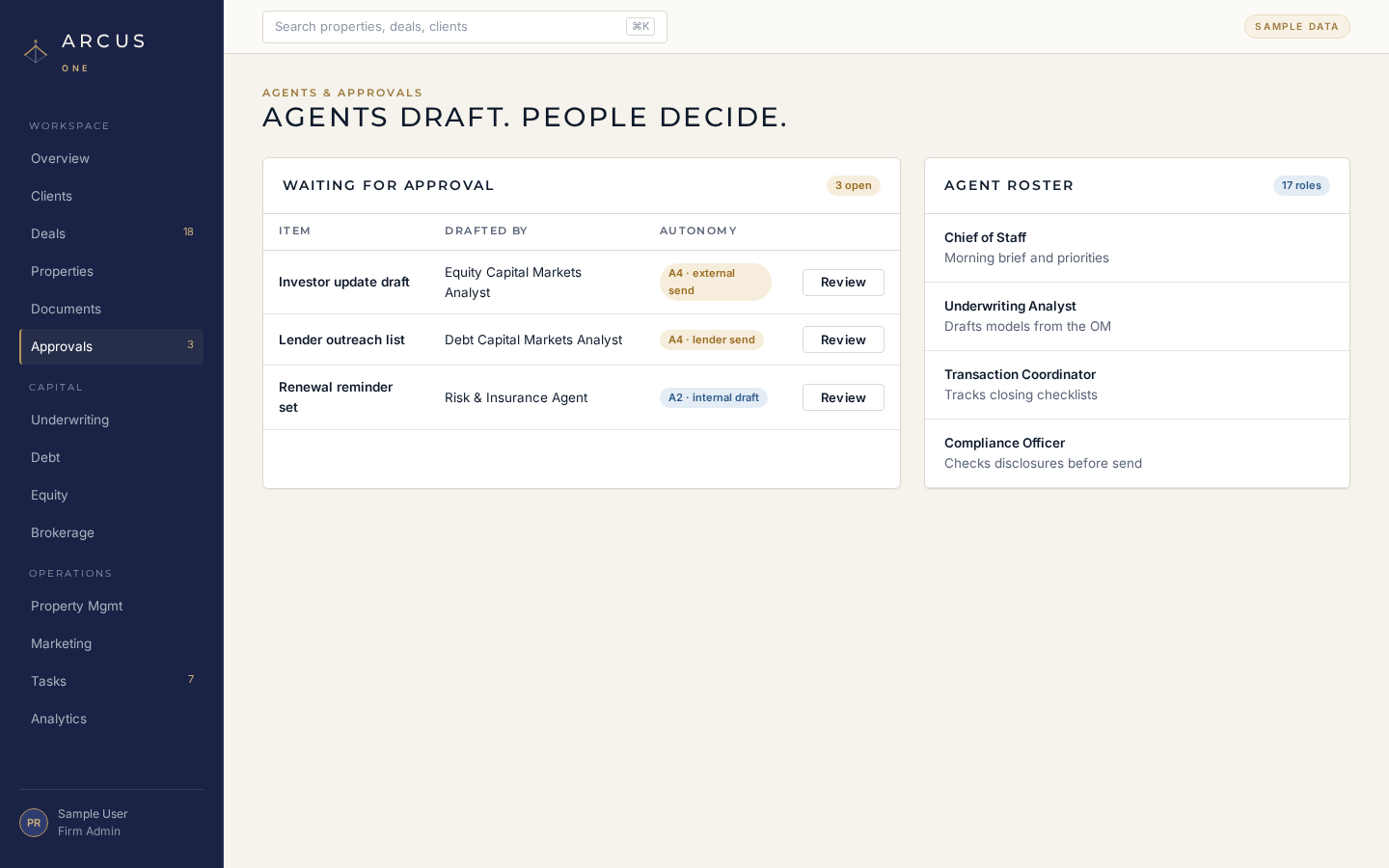
Investor updates, lender outreach and anything financial wait in the approvals queue. Approve, reject or escalate, and the outcome is logged.
Product
A navy and ivory workstation designed for long days of deal work.
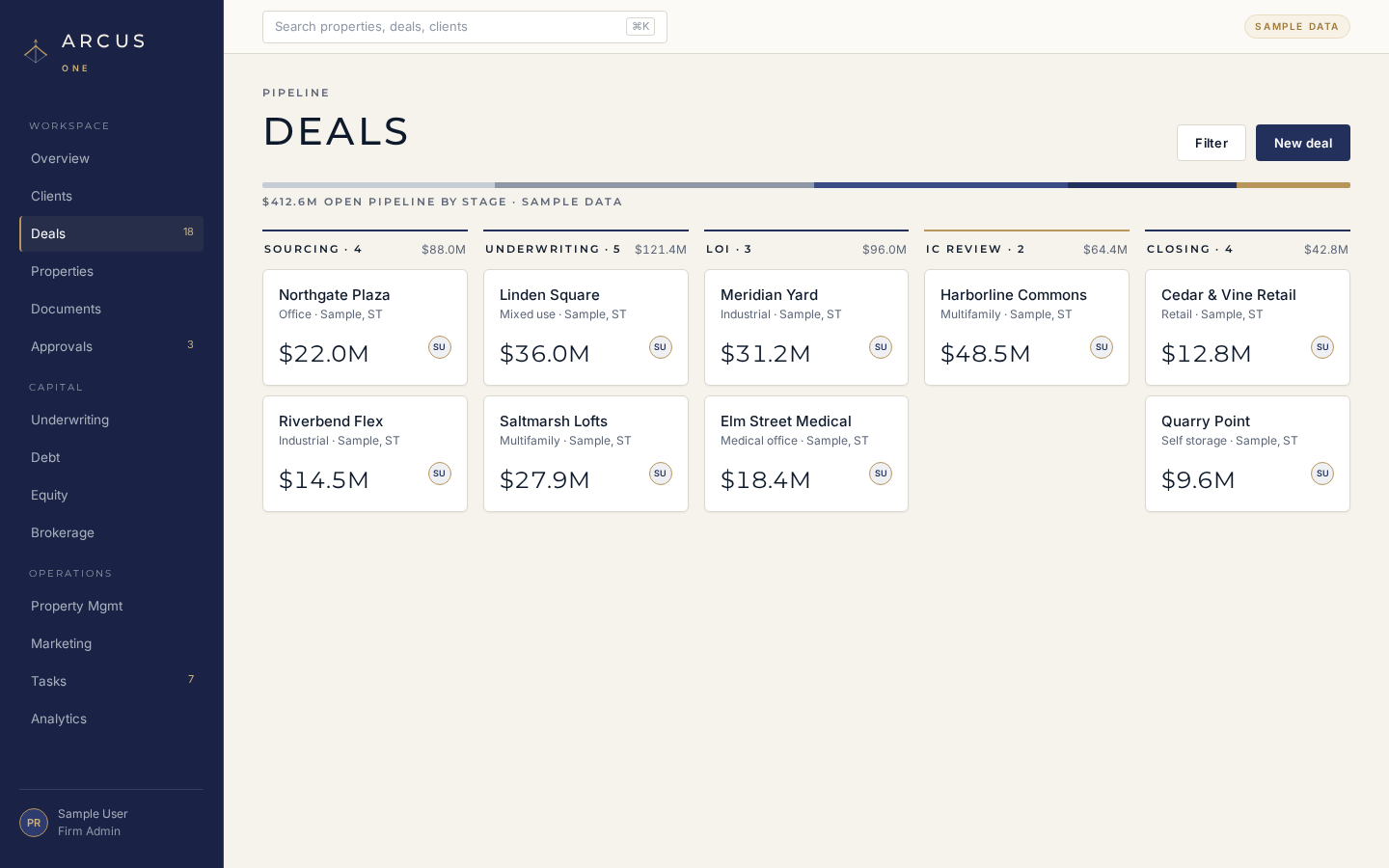
Sale and capital boards with every stage from prospect to closed or lost.
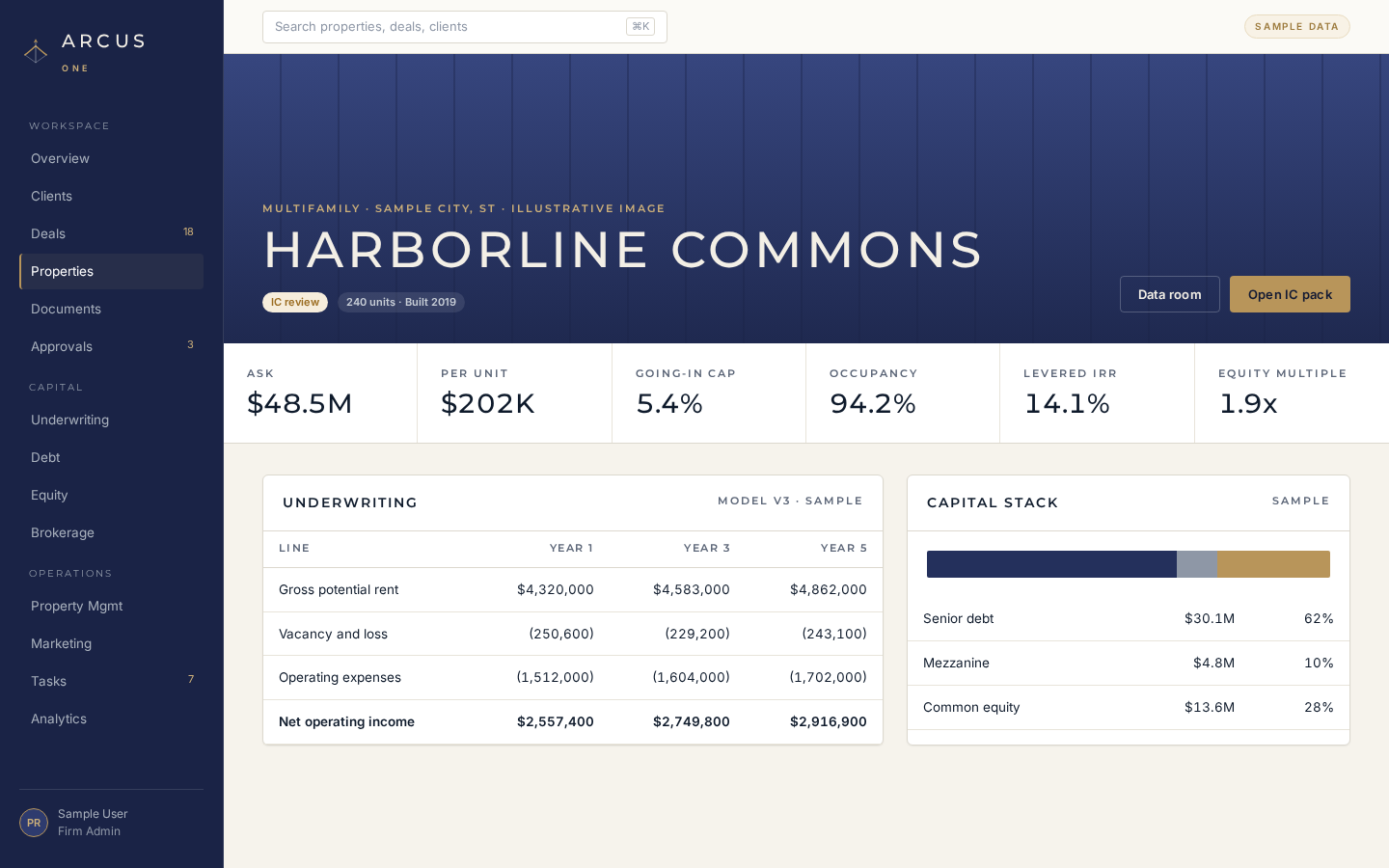
One page per asset with parties, deals, documents, underwriting and operations attached.
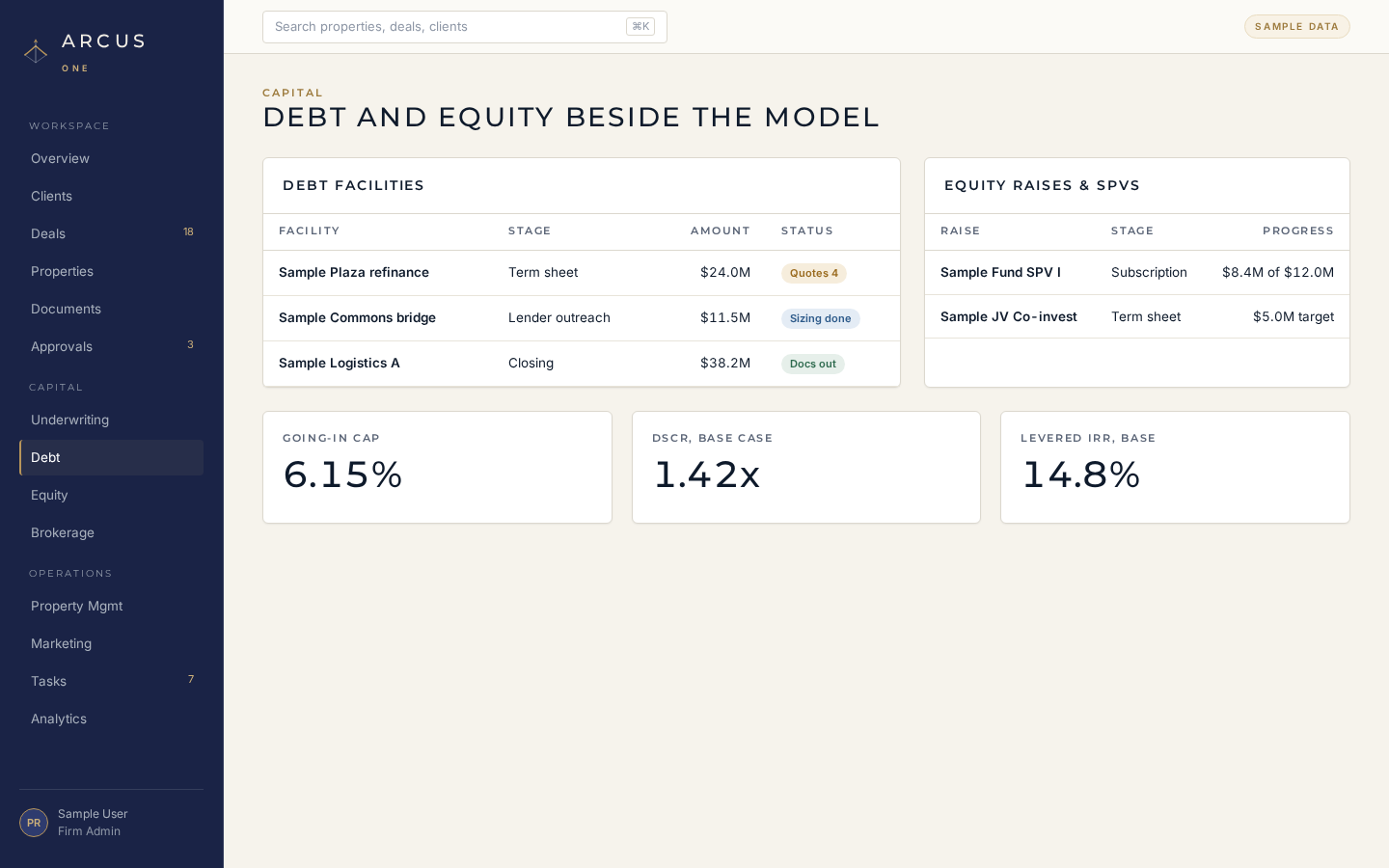
Debt facilities, equity raises and SPVs tracked next to the underwriting.
Every feature
35 capabilities across seven pillars. See them by pillar.
Pipeline value, tasks due, approvals waiting and recent activity on one screen the moment you sign in.
A daily digest across relationships, capital, documents, operations and agents, so the first ten minutes set the day.
Create, assign and track work against any property, deal or client, with due dates and status.
Every stage change, approval, send and status update recorded in order, so anyone can see what happened and when.
Pipeline, capital and operating views across the portfolio, built from the same record your team works in.
The canonical asset page: parties, deals, documents, underwriting and operations all hang off one property.
Owners, sellers, buyers, lenders and vendors linked to the asset with their role, so context travels with the property.
Owners, sponsors, LPs, lenders and buyers with relationship history, linked deals and open tasks.
Permissioned rooms per property or deal for the OM, rent roll, estoppels and loan documents.
Grant a file to a buyer group or lender, revoke it in one click, and see every view and download in the access log.
Kanban from prospect, pitch, underwriting, marketing, offers, PSA, due diligence and closing to closed or lost.
A second board for financing: sizing, lender outreach, quotes, term sheet, subscription and closing.
Drag a deal across stages or switch to a sortable list. Stage history is kept on every deal.
Listings with status, pricing and activity, tied back to the property and the seller relationship.
Build buyer and investor lists, run campaigns per listing and track status from draft to sent.
A due-diligence aid that flags title and contract red flags with cited pages and attorney-review triggers. Not legal advice.
Base, upside and downside cases per deal, with status from draft through review.
Open the offering memorandum, run underwriting and generate an investment committee pack in three steps.
A print-ready investment committee pack with the thesis, numbers and risks, built from the record.
Track financing from sizing and lender outreach to quotes, term sheet and close, beside the model.
Run raises by stage with commitments tracked against the target.
Set up and follow special purpose vehicles for co-invest and fund-style structures.
Managed properties with work orders tracked from open to done.
Policies per property with renewal tracking, so nothing lapses quietly.
Invoices from draft to sent to paid, tied to the deal or listing that earned them.
Seventeen roles that draft the work: Chief of Staff, Underwriting Analyst, Debt and Equity Capital Markets Analysts, Brokerage Associate, Asset Manager, Transaction Coordinator, Compliance Officer, Marketing Director, Controller, CFO and Accounting, Risk and Insurance, Relationship Manager, Property Intelligence Analyst, Data Steward and Opportunity Engine.
Four levels per agent: propose only, internal drafts, multi-step internal workflows, and external sends.
Anything external, investor-facing, lender-facing or financial waits for a person to approve, reject or escalate.
Agent runs, approvals and outcomes land in the activity timeline for later review.
Install Arcus One on desktop or phone from the browser, with guided install help.
A bottom tab bar for Home, Clients, Deals, Properties and Approvals, with every other module one tap away.
Connectors across productivity, communication, files, contracts, payments, scheduling, prospecting, data, design, publishing, domains and property management. Each is marked available, coming soon or request access.
A read-only walkthrough on sample data, step by step, with live and coming-soon labels.
Individual accounts with sign-up and sign-in for your team.
BRIX fractional-ownership tooling, shown in paper mode only. Coming soon.
Who it is for
Pipeline, listings, campaigns, buyer lists, document rooms and a pre-check on title and contract before you send the PSA.
Every asset on one record: the numbers, the documents, the people, and the operations after close.
Debt and equity beside the model, with lender and investor sends held for approval.
A permissioned room to review documents, with access you can see and revoke.
Access
Open Arcus One in your browser and install it on desktop or phone.
[PLACEHOLDER: confirm contact email and phone]
FAQ
No. It is a due-diligence aid that flags items for review with cited pages. Always consult a licensed attorney.
Yes. The guided demo is a read-only walkthrough on sample data.
Yes. Arcus One installs from the browser on desktop and phone.